A Worked Example with Iteration, Validation, and Hypothesis Generation
Starting a business is exciting but challenging, especially when you’re trying to solve a real problem for real customers. The Lean Canvas is a powerful tool designed to help entrepreneurs quickly sketch out their business model, identify key assumptions, and focus on what matters most. Unlike traditional business plans, the Lean Canvas is simple, visual, and built for rapid iteration.
In this article, we’ll explore how to fill each block of the Lean Canvas quickly and effectively, using a practical worked example. We will emphasise the importance of iteration, validation, and hypothesis generation at every step to ensure your startup is solving the right problem for the right customers. By the end, you’ll have clear guidance and actionable prompts to start using the Lean Canvas as a living document that evolves with your learning.
What Is the Lean Canvas?
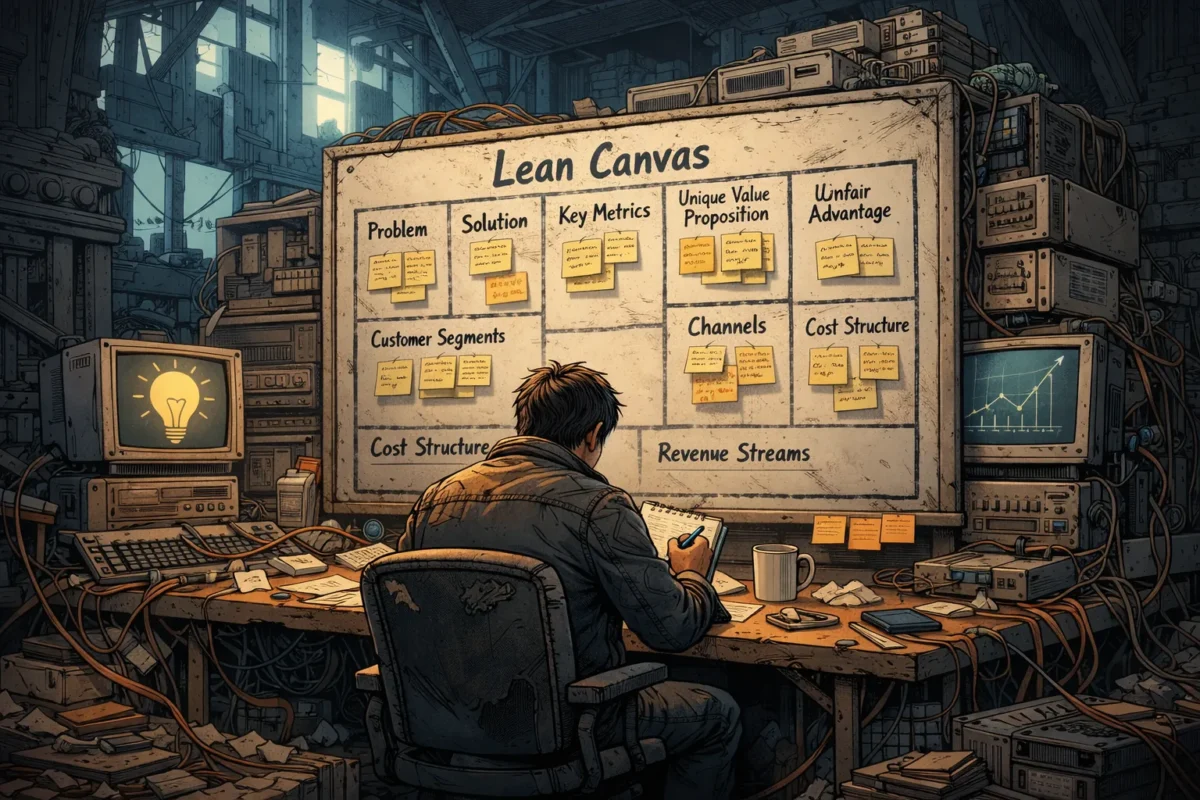
The Lean Canvas, created by Ash Maurya, adapts the Business Model Canvas for startups focused on solving problems. It consists of nine blocks:
- Problem
- Customer Segments
- Unique Value Proposition (UVP)
- Solution
- Channels
- Revenue Streams
- Cost Structure
- Key Metrics
- Unfair Advantage
Each block captures essential elements of your business model, making it easier to spot assumptions and risks early on.
Why Speed Matters When Filling the Lean Canvas
Startups operate in uncertainty. The faster you capture your current understanding, the sooner you can test it and learn. Quick filling does not mean rushing to the point of carelessness—it means:
- Using what you already know
- Making smart guesses where necessary
- Documenting assumptions openly
- Focusing on clarity and simplicity
With this approach, the Lean Canvas becomes a tool for experimentation and learning, not just documentation.
Step-by-Step Guide to Quickly Fill Each Block of the Lean Canvas with a Worked Example
Meet Our Startup: GreenThumb
GreenThumb aims to build an app that helps urban gardeners grow healthy plants despite limited space and environmental challenges. This example will help us fill the Lean Canvas step by step.
1. Problem
Goal: Identify 1 to 3 core problems your target customers face.
How to fill quickly:
- Start with your own observations or experiences.
- Look at customer pains, frustrations, or unmet needs.
- Use direct quotes from early conversations if available.
GreenThumb example:
- Urban gardeners struggle to grow plants due to limited sunlight.
- Lack of tailored advice causes plants to die frequently.
- Difficulty finding appropriate tools and products for small spaces.
Iteration & Validation Tip:
Use customer interviews or online forums to confirm these problems. Are these issues significant enough to solve? If you uncover new problems, update this block.
2. Customer Segments
Goal: Define clear groups of users or customers who experience these problems.
How to fill quickly:
- Think broadly about who has these problems.
- Segment by demographic, behaviour, or situation.
- Consider early adopters who are more likely to try your solution.
GreenThumb example:
- Apartment dwellers with balconies or windowsills for gardening.
- Beginner urban gardeners looking for easy success.
- Environmentally conscious millennials keen on sustainable living.
Hypothesis generation prompt:
“From the problems listed, generate three distinct customer segment hypotheses.”
For GreenThumb:
- Young professionals in cities with limited outdoor space.
- Retirees taking up gardening as a hobby in urban flats.
- Community garden coordinators seeking tools for group projects.
Iteration & Validation Tip:
Test these segments through targeted surveys or ad campaigns to see who responds best.
3. Unique Value Proposition (UVP)
Goal: Craft a single clear message that explains why your solution is better, different, or uniquely valuable.
How to fill quickly:
- Combine your understanding of the problem and customers.
- Focus on results or benefits, not features.
- Keep it short and punchy — ideally one sentence.
GreenThumb example:
“The only app that delivers personalised plant care advice and tool recommendations tailored to your exact urban environment.”
Critique prompt:
“Critique this UVP. What assumptions does it make?”
- Assumes users want an app rather than a website or physical product.
- Assumes personalisation is a key value driver.
- Assumes users buy tools through the app.
Iteration & Validation Tip:
Test UVP messaging through landing page copy or social posts, and track engagement or sign-ups.
4. Solution
Goal: Outline your initial ideas for how to solve the problems identified.
How to fill quickly:
- List one or two minimum viable solutions.
- Think in terms of features or services but focus on simplicity.
- Avoid overbuilding at this stage.
GreenThumb example:
- Interactive app with light sensor integration to measure sunlight levels.
- AI-powered chat feature that provides daily customised plant care tips.
- Marketplace connecting users with small-space gardening tools and accessories.
Iteration & Validation Tip:
Build a prototype or clickable mockups and validate with user feedback.
5. Channels
Goal: Define how you will reach your customers.
How to fill quickly:
- Consider where your customers spend time.
- Focus on the most direct or low-cost channels initially.
- Include potential partnerships or platforms.
GreenThumb example:
- Social media gardening groups (Facebook, Instagram).
- Influencers in urban gardening and sustainability.
- App stores and gardening blogs.
Iteration & Validation Tip:
Run small-scale marketing tests to discover which channels generate leads or downloads most efficiently.
6. Revenue Streams
Goal: Identify how your startup will earn money.
How to fill quickly:
- Think about primary revenue drivers: sales, subscriptions, ads, etc.
- Consider pricing models relevant to your market.
- Start with simple hypotheses.
GreenThumb example:
- Freemium app model with premium subscription for advanced features.
- Commission on sales from the integrated marketplace.
- Sponsored content and partnerships with gardening brands.
Iteration & Validation Tip:
Test willingness to pay through pre-sales, crowdfunding, or paid pilot offers.
7. Cost Structure
Goal: List your major costs to operate the business.
How to fill quickly:
- Include development, marketing, operational expenses, and fixed costs.
- Focus on high-impact cost drivers first.
GreenThumb example:
- App development and maintenance.
- Content creation for personalised advice.
- Marketing and influencer partnerships.
Iteration & Validation Tip:
Refine cost estimates based on vendor quotes or MVP build-outs.
8. Key Metrics
Goal: Choose measurements that show whether your startup is progressing.
How to fill quickly:
- Pick 2 to 3 metrics tied directly to customer behaviour or revenue.
- Prioritise leading indicators over vanity metrics.
GreenThumb example:
- Daily active users engaging with plant care tips.
- Conversion rate from free to premium subscription.
- Average transaction value in the marketplace.
Iteration & Validation Tip:
Track these metrics early using analytics tools and adjust focus as you learn.
9. Unfair Advantage
Goal: Define what sets you apart and cannot be easily copied.
How to fill quickly:
- Consider unique expertise, exclusive partnerships, or proprietary technology.
- Be honest if you don’t have one yet; leave room to build it.
GreenThumb example:
- Exclusive access to environmental data from urban sensor networks.
- Patent-pending AI algorithms for personalised plant care.
- Strong relationships with local gardening communities.
Iteration & Validation Tip:
Keep this evolving as you develop deeper customer insights and competitive moats.
Using Iteration, Validation, and Hypothesis Generation to Improve Your Lean Canvas
Filling out your Lean Canvas is only the beginning. The real value comes from testing your assumptions and refining your model. Here are three practical ways to keep improving:
1. Critique Your Lean Canvas for Missing Assumptions
Regularly revisit your canvas and ask:
- What assumptions underlie each block?
- Are any critical risks overlooked?
- Could there be hidden customer segments or revenue streams?
Example prompt: “Critique this Lean Canvas for missing assumptions or blind spots.”
For GreenThumb, you might realise you assumed users want personalised advice but did not validate if they trust AI-generated tips.
2. Generate New Hypotheses From Symptoms or Feedback
When customers share pain points or behaviours, use them to create new tested hypotheses.
Prompt: “Generate three customer segment hypotheses from these symptoms.”
Symptoms: Customers say they struggle to find eco-friendly gardening tools.
Possible hypotheses:
- Eco-conscious buyers actively seek sustainable tools.
- Price sensitivity limits purchases of premium eco-products.
- Local gardeners prefer in-store shopping over apps.
3. Iterate Your Canvas Based on Data
Each experiment or customer conversation yields new information. Update your Lean Canvas accordingly:
- Tweak the problem and segments.
- Adjust your UVP to better match customer desires.
- Refine solutions to remove unnecessary features or focus on high-value ones.
Practical Actionable Exercise: Rapid Lean Canvas Fill and Validation
Try this exercise in your next startup meeting or brainstorming session:
- Set a timer for 10 minutes per block. Fill each section of your Lean Canvas rapidly, noting assumptions.
- Share your canvas with a colleague or mentor. Ask them to critique it and highlight missing assumptions.
- Generate three new hypotheses based on any customer feedback or symptoms you have gathered. Write these down separately.
- Choose one assumption to validate in the coming week. Plan a quick experiment, such as a survey, interview, or landing page test.
- Schedule a follow-up session to update your Lean Canvas based on what you learn.
This process keeps your Lean Canvas dynamic and rooted in real-world validation, reducing the risk of building a product no one wants.
Conclusion
The Lean Canvas is a versatile tool for startups aiming to solve real problems quickly and effectively. By working through each block rapidly and focusing on iteration, validation, and hypothesis generation, you ensure your business model remains flexible and grounded in customer realities.
Remember, the goal is not to produce a perfect plan on day one, but to create a foundation for continuous learning and improvement. Starting with your best assumptions, testing them thoroughly, and adapting your Lean Canvas as you go will increase your chances of building a product that truly meets your customers’ needs.
Now, roll up your sleeves and get started. Your next breakthrough could be just one Lean Canvas iteration away.
