

Categories
Feature Problem solving

Risk Registers that Actually Work

How to turn the most maligned governance artefact into a living instrument for preventing failure

The risk register sits unloved in the project folder. It was last updated three weeks ago, during a governance meeting where everyone stared at a spreadsheet and mumbled reassurances about mitigation plans. Two risks marked “green” are quietly destroying the programme. The real threats haven’t been written down at all.

You know this pattern. The risk register has become a compliance theatre — evidence that governance is happening, not a tool that actually prevents problems. It doesn’t have to be this way.

A risk register that actually works is specific, honest, and actively used. It focuses attention on threats that matter. It prompts genuine investigation rather than comfortable reassurance. And crucially, it tells you what to do on Monday morning, not just what to worry about in the abstract.

————————

Why Most Risk Registers Fail

The dysfunction starts with how we populate them. Someone creates a template with columns for Likelihood, Impact, RAG rating, and Mitigation. A workshop is convened. People throw out concerns in a slightly awkward round-robin. “Resource availability.” “Stakeholder engagement.” “Technical complexity.” These are written down, scored on a 1–5 scale, and colour-coded. Everyone feels productive.

The resulting document is simultaneously too long and too vague. It contains twenty risks that all sound the same. The scores are arbitrary. The mitigations read like defensive statements rather than action plans. “Continue to monitor.” “Escalate if needed.” “Maintain close communication with stakeholders.”

The real problems are:

Vagueness replaces specificity. “Stakeholder resistance” could mean anything from a minister vetoing the programme to a single team member preferring the old system. The register doesn’t distinguish between them.

Scoring becomes ritual. Likelihood and impact ratings are debated as if they’re objective measurements. They’re not. They’re collective guesses, often influenced more by organisational politics than by evidence. A risk that might embarrass senior leadership gets scored lower than it should.

Static documents in dynamic environments. The register is reviewed monthly at a governance board. Meanwhile, the real threats evolve daily. By the time the board discusses a risk, it’s already materialised or been overtaken by events.

No link to action. The mitigation column describes what should happen in principle. It rarely specifies who will do what by when. The register becomes a list of worries, not a plan for action.

The result is predictable. When the programme encounters serious trouble, someone opens the risk register and discovers the actual problem wasn’t listed. Or it was listed but scored “low.” Or it was there but the mitigation plan was never executed.

————————

The Structure of a Working Risk Register

A functioning risk register is not a spreadsheet full of vague concerns. It’s a structured instrument that identifies specific threats, links each threat to evidence, and drives concrete action.

Here’s what that looks like in practice:

Risk Description: Be Brutally Specific

Replace generic categories with precise statements. Not “data migration risk” — instead: “Patient records for 47,000 individuals currently stored in the legacy PAS system contain non-standard date formats and free-text clinical notes that cannot be automatically parsed by the new EPR platform. Attempting bulk migration will corrupt appointment histories.”

Specificity forces honesty. It’s harder to mark a risk as “green” when you’ve written down exactly what will break and why. It also makes the mitigation plan obvious — you now know which 47,000 records need manual review and which data fields are problematic.

The description should answer:

  • What specific event or condition threatens the programme?
  • Which part of the system or organisation is affected?
  • What would trigger or accelerate this risk?

A good test: if you removed the risk from your register and showed it to someone unfamiliar with the programme, could they understand the threat without further explanation? If not, it’s too vague.

Evidence and Indicators: What Are You Actually Observing?

For each risk, document the evidence that makes you believe it’s real. This might be:

  • Direct observation (“Three of the five clinical leads have stated in writing that they will not participate in user testing”)
  • Historical precedent (“The last two digital programmes in this trust experienced 40%+ staff turnover during implementation”)
  • Technical analysis (“Load testing shows the authentication service fails under 200 concurrent users; we expect 800+ at go-live”)
  • External intelligence (“The supplier announced redundancies in their UK support team last quarter”)

The evidence section serves two purposes. First, it prevents phantom risks — vague fears with no grounding in reality. Second, it establishes what you’re monitoring. If the evidence changes, the risk assessment should change.

Include early warning indicators. What would you observe if this risk was starting to materialise? For the data migration example above, early warnings might include: “Manual sample testing of 500 records reveals parsing errors in 12%+ of cases” or “Migration team raises concerns about timeline in three consecutive sprint retrospectives.”

Impact: Describe the Actual Consequence

Replace numeric scores with descriptions of real-world consequences. Not “Impact: 4” — instead: “Programme go-live delayed by 3–6 months. Trust continues paying £180k/month for parallel-running legacy systems. Clinical staff lose confidence in digital transformation. Two neighbouring trusts postpone their own EPR procurements pending outcome.”

This forces you to think through the chain of effects. A technical failure isn’t just a technical problem — it has operational, financial, and reputational consequences. Writing them down clarifies what you’re actually trying to prevent.

For different risk categories, impact descriptions will vary:

Delivery risks — Timeline delays, budget overruns, scope reduction, programme cancellation.

Operational risks — Service disruption, patient safety incidents, regulatory non-compliance, staff burnout.

Strategic risks — Loss of stakeholder confidence, policy reversal, reputation damage, lost opportunity for wider transformation.

Technical risks — System outages, data loss or corruption, security breaches, integration failures.

The impact statement should be specific enough that a decision-maker can weigh it against the cost and effort of mitigation. “We might miss the deadline” doesn’t enable decision-making. “We will miss the April go-live, requiring a six-month extension and a return to the Treasury for additional funding” does.

Mitigation: Turn Worries into Work

This is where most risk registers collapse into useless abstraction. “Monitor closely” is not a mitigation. Neither is “escalate to SRO if needed.”

A real mitigation plan has three components:

Immediate action — What gets done this week to reduce the likelihood or impact? Who owns it?

Contingency preparation — If the risk materialises despite mitigation, what’s the fallback plan?

Monitoring cadence — How often will this risk be reviewed, and what evidence will trigger escalation?

For the data migration risk described earlier, an actual mitigation plan might read:

Immediate action: Data quality lead to manually review 1,000 randomly sampled patient records by Friday. Identify all non-standard date formats and free-text patterns. DevOps team to build parsing exception-handling into migration scripts by end of sprint.

Contingency: If exception rate exceeds 15%, defer migration of affected records. Implement dual-running period where clinical staff verify migrated data against legacy system for 30 days before legacy decommissioning.

Monitoring: Sample testing of 500 records per week during migration phase. Any batch with 10%+ parsing errors pauses migration for immediate investigation. Risk reviewed in daily migration stand-up.

Notice the specificity. You could hand this to someone on Monday morning and they would know exactly what to do.

Ownership: Name Names

Every risk needs a named owner — a single person accountable for ensuring mitigation happens and for escalating if the risk status changes. Not “Delivery Team” or “Technical Workstream.” A person. With a job title and an email address.

The owner doesn’t have to personally execute all the mitigation work, but they are responsible for ensuring it happens and for raising the alarm if it doesn’t.

In a large programme, you might have a second-level structure: a risk owner (who manages the mitigation) and a risk decision-maker (who approves contingency actions or accepts the risk). Make these roles explicit.

————————

A Worked Example: NHS Digital Transformation Programme

Let’s apply this to a realistic scenario — a mid-sized NHS trust implementing a new Electronic Patient Record (EPR) system. The programme has a £12 million budget, an 18-month timeline, and involves replacing three legacy systems used across four hospital sites.

Here’s how a traditional risk register might list one of the major threats:

Risk IDDescriptionLikelihoodImpactRAGMitigation
R07Stakeholder engagement34AmberRegular stakeholder meetings. Communications plan in place.

This tells you almost nothing. Which stakeholders? What kind of engagement problem? What happens if the mitigation fails?

Here’s the same risk in a working register:

————————

Risk ID: R07

Category: Operational / Change Management

Owner: Sarah Chen, Associate Director of Digital Transformation

Decision-maker: Mike Okafor, Deputy Chief Executive

Description:

The Emergency Department (ED) consultant body has historically opposed digital record systems, citing concerns about clinical safety and workflow disruption. Three of the four ED consultants did not participate in the EPR requirements workshops. In the previous PAS upgrade (2019), ED consultants delayed go-live by refusing to sign off on the system, resulting in a parallel-running period that cost £220k.

If ED consultants do not actively engage with EPR design and testing, they are likely to withhold clinical sign-off at the final governance gate. This would force either a delayed go-live or a go-live without ED, creating a critical gap in the patient pathway.

Evidence and Indicators:

  • Only 1 of 4 ED consultants attended EPR requirements workshop (October 2024)
  • ED Clinical Director stated in writing: “We will not be rushed into a system that compromises patient safety” (email 12 Nov 2024)
  • Historical precedent: 2019 PAS upgrade delayed 4 months due to ED sign-off refusal
  • ED staff survey (Nov 2024) shows 62% believe “digital systems slow down clinical work”

Early warning indicators:

  • Continued absence from user testing sessions (next session: 15 Jan)
  • Formal request to be excluded from Wave 1 go-live
  • ED staff raising safety concerns through clinical governance route
  • ED consultants escalating concerns directly to Medical Director

Impact:

Programme go-live delayed by 3–6 months OR programme proceeds with ED excluded from Wave 1, creating a critical patient pathway gap. Patients transferring between ED and inpatient wards would require manual data re-entry, increasing error risk and reducing care quality.

Financial impact: £180k for each additional month of parallel-running legacy systems. Reputational impact: loss of clinical confidence in digital programme, reduced participation in future transformation initiatives.

Mitigation Plan:

Immediate actions (this month):

  • Sarah Chen to arrange 1:1 meetings with each ED consultant before Christmas. Objective: understand specific clinical safety concerns and workflow worries. (By 20 Dec)
  • Clinical Safety Lead to conduct walkthrough of ED workflows using EPR demo environment with ED consultants. (By 10 Jan)
  • Programme to commission independent clinical safety assessment of EPR in ED context from external ED consultant. (Commissioned by 6 Jan, report by 31 Jan)

Medium-term actions (next quarter):

  • Establish ED-specific user testing group with protected time for ED consultants. Minimum 2 consultant participants for each testing cycle. (First session 15 Jan)
  • Technical team to implement ED-requested workflow modifications if clinically justified and technically feasible. (Assessed by 31 Jan, implemented by 28 Feb if approved)
  • SRO to present EPR approach at ED Consultant meeting with explicit invitation for concerns to be raised. (Meeting 22 Jan)

Contingency:

If ED consultants remain opposed after above actions:

  • Seek Medical Director intervention to mandate participation
  • Offer extended go-live timeline with ED as Wave 2 (6 months after main hospital), allowing ED to observe benefits in other departments
  • Commission independent external review of ED safety concerns to validate or refute objections
  • If engagement remains impossible, escalate to Trust Board for decision on whether to proceed without ED or delay entire programme

Monitoring cadence:

  • Weekly review in programme board (attendance tracking, sentiment analysis)
  • Fortnightly 1:1 check-ins between Sarah Chen and ED Clinical Director
  • Risk escalated to SRO immediately if: ED formally requests exclusion from go-live; ED raises safety concerns through clinical governance; fewer than 2 ED consultants participate in testing

Status: Active

Last reviewed: 4 December 2024

Next review: 11 December 2024

————————

Notice the difference. You know exactly what the problem is. You know what will happen if it materialises. You know who’s doing what by when. You know what you’re watching for. And you know what you’ll do if mitigation fails.

This is a risk register entry you can actually use.

————————

Risk Categories That Reflect Real Threats

Generic risk categories (strategic, operational, financial, reputational) encourage generic thinking. Better categories reflect the actual failure modes of your type of programme.

For a digital transformation programme, consider:

Technical Integration Risks — Will the systems actually talk to each other? Data migration failures. API incompatibilities. Performance under load. Security vulnerabilities.

Clinical Safety Risks — Could the new system harm patients? Medication errors due to interface design. Missed test results. Clinical workflow disruption during critical care moments.

Change and Adoption Risks — Will people actually use it? Staff resistance. Inadequate training. Workflow design that doesn’t match real clinical practice. Workarounds that undermine the system.

Supplier and Dependency Risks — Will external parties deliver? Vendor delays. Key personnel leaving the supplier. Scope disagreements. Support and maintenance quality.

Regulatory and Compliance Risks — Will we meet legal and professional standards? Data protection failures. Failure to meet NHS Digital standards. CQC compliance issues.

Benefits Realisation Risks — Even if implemented successfully, will it actually deliver value? Benefits case based on unrealistic assumptions. Changes in the external environment that invalidate the original case. Inability to measure benefits.

These categories direct attention to where failure actually happens. They’re harder to answer with comfortable platitudes.

For other programme types, adjust accordingly:

Infrastructure programmes — Planning and consenting. Land acquisition. Environmental impact. Community opposition. Construction quality. Contractor performance.

Organisational change programmes — Leadership commitment. Middle management resistance. Cultural misalignment. Competing priorities. Communication breakdown.

Policy implementation programmes — Legislative delays. Political reversal. Unintended consequences. Implementation capacity in delivery bodies. Public reaction.

The categories should reflect your actual experience of where things go wrong, not a textbook taxonomy.

————————

The Update Cycle: Making It a Living Document

A risk register that sits untouched between monthly governance meetings is useless. Real threats evolve faster than that.

Establish three rhythms:

Daily or weekly operational review — The delivery team scans the register for any risks where early warning indicators have been triggered. This is a 15-minute stand-up, not a formal meeting. “Any change in risk status? Any new evidence? Anything we’re seeing that’s not on the register?”

Fortnightly detailed review — Risk owners report on progress against mitigation actions. This is where you update the evidence section, adjust timelines, and decide whether to escalate or close risks. This might be part of a programme board meeting or a dedicated risk review session.

Monthly governance review — The SRO and programme board focus on the top 5–8 risks (usually those with the highest unmitigated impact). The question isn’t “What’s the RAG status?” — it’s “What have we learned about this risk in the past month, and does that change our mitigation approach?”

Between these formal reviews, the register should be a working document. When someone discovers new information about a risk, they update the evidence section immediately. When a mitigation action completes, it’s marked done. When a new threat emerges, it’s added within 48 hours, not deferred until the next scheduled review.

This requires the register to be genuinely accessible. A locked SharePoint file that requires three permissions and a VPN isn’t going to be updated in real-time. Use a tool that allows concurrent editing, version history, and notifications when high-impact risks are updated.

————————

Common Pitfalls and How to Avoid Them

Pitfall 1: Optimism bias in scoring

Teams habitually underestimate likelihood and impact, especially for politically sensitive risks. The trust’s relationship with a difficult supplier is marked “low impact” because no one wants to admit dependency. The possibility of the SRO leaving mid-programme is omitted entirely because it seems disloyal to mention.

How to avoid it: Use reference class forecasting. What happened in similar programmes? The IPA Annual Report 2019-20 shows that major UK Government programmes frequently experience 2–3 year delays and 50–100% budget overruns. If your register shows all risks as “low” or “amber,” you’re probably underestimating.

Pitfall 2: Treating the register as a blame document

People stop reporting risks honestly if they fear the register will be used against them. “Why didn’t you flag this sooner?” becomes a weapon. The result: risks are sanitised, genericised, or omitted.

How to avoid it: Establish a cultural norm that adding a risk to the register is responsible behaviour, not an admission of failure. The SRO should explicitly praise people who identify and escalate risks early. Consider adapting the principles from blameless incident reviews — focus on what the organisation learned, not who failed to spot it sooner.

Pitfall 3: Action-free mitigation plans

“Monitor closely” and “maintain regular communication” are not mitigations. They’re descriptions of general good practice. They don’t reduce the likelihood or impact of anything.

How to avoid it: Every mitigation plan must include at least one action with a named owner and a deadline. If you can’t think of any action that would reduce the risk, either the risk is unavoidable (in which case, state that explicitly and focus on contingency planning) or you don’t understand the risk well enough yet (in which case, your immediate action is to investigate further).

Pitfall 4: Zombie risks that never close

Risks that were relevant six months ago remain on the register even though circumstances have changed. The register grows to 40+ entries. No one can remember which ones matter.

How to avoid it: Actively close risks when they’re no longer relevant. “Legacy system decommissioning risk” gets closed when the legacy system is actually decommissioned. Archive closed risks (don’t delete them — they’re useful for post-programme learning) but remove them from the active register. Keep the active register to 15–20 entries maximum.

Pitfall 5: Confusing risks with issues

A risk is something that might happen. An issue is something that’s already happening. Mixing them in the same register creates confusion.

How to avoid it: Maintain a separate issues log for problems that have materialised. When a risk becomes an issue, close it in the risk register and open it in the issues log. The issues log has a different structure — it focuses on resolution plans and tracking progress, not on likelihood and mitigation.

————————

Tools and Templates

You don’t need expensive risk management software. A well-maintained spreadsheet or a shared document can work perfectly well for programmes with 15–20 active risks.

If you do want tooling, look for:

  • Concurrent editing with version history (Google Sheets, Microsoft Excel Online, Airtable)
  • Ability to filter and sort by category, owner, or status
  • Automated notifications when high-impact risks are updated
  • Easy export for governance reporting

Avoid tools that impose complex workflows or require dedicated administrators. The tool should make updating the register easier, not harder.

For very large programmes (£100m+, multi-year, 50+ active risks), consider dedicated risk management platforms like Resolver, LogicManager, or Archer. But start simple. If your team isn’t maintaining a spreadsheet-based register effectively, a fancy platform won’t solve the problem.

A minimal working template:

FieldDescription
Risk IDUnique identifier (e.g., R01, R02)
CategoryTechnical, Operational, Strategic, etc.
OwnerNamed person accountable for mitigation
DescriptionSpecific threat (3–5 sentences)
EvidenceWhat makes you believe this is real?
ImpactConcrete consequences if risk materialises
Mitigation PlanActions with owners and deadlines
ContingencyFallback plan if mitigation fails
MonitoringReview frequency and escalation triggers
StatusActive / Monitoring / Closed
Last ReviewedDate

————————

Closing Questions: Is Your Risk Register Working?

Ask yourself:

  • If I opened the risk register right now, would it identify the three biggest threats to programme success?
  • Could someone unfamiliar with the programme read a risk description and understand the specific threat without asking for clarification?
  • Does every risk have a mitigation plan with named owners and deadlines for specific actions?
  • Has the register changed in the past week based on new information, or is it static between governance meetings?
  • When was the last time someone added a politically uncomfortable risk to the register?

If you answered “no” to any of these, the register isn’t working yet. But the structure outlined above will get you there.

A working risk register is not a bureaucratic obligation. It’s a truth-telling instrument. It forces you to name the things that might go wrong before they do. It turns vague anxiety into concrete action. And it gives you a fighting chance of preventing the failures you can see coming.

————————

Related Reading on Failure Hackers

————————

Stay ahead of project failure

Join the Failure Hackers mailing list for tools, frameworks and analysis to help you spot the warning signs before it is too late.

Categories
Feature Problem solving

Mind Mapping Problems:

A Step-by-Step Guide to Cause-and-Effect Thinking with Free Tool Recommendations

When faced with a complex problem, it’s easy to feel overwhelmed. You might jump from symptom to symptom or try to tackle everything at once without fully understanding the root causes. This scattergun approach often leads to missed insights and ineffective solutions.

Mind mapping is a powerful technique that can help you organise your thoughts visually, making cause-and-effect relationships clearer and decision-making more intentional. By breaking down a problem into its parts and exploring how these parts connect, mind maps encourage deeper analysis and creative problem-solving.

In this comprehensive guide, you’ll learn how to use mind maps specifically for cause-and-effect thinking. You will also find practical prompts to expand your analysis and recommendations for free tools that bring your mind maps to life on your computer or mobile device.

What Is Cause-and-Effect Thinking?

Cause-and-effect thinking is a method of understanding how one event (the cause) leads to another (the effect). When applied to problems, it means examining the symptoms you observe and tracing them back to their underlying causes. It helps answer questions like:

  • Why is this problem happening?
  • Which factors contribute most to the issue?
  • What changes can lead to improvement?

This kind of reasoning is essential in fields ranging from business and engineering to healthcare and education. Mind mapping supports this process by organising information in a way that mirrors natural thought patterns, allowing for both big-picture overviews and detailed breakdowns.

Why Use Mind Maps for Cause-and-Effect Analysis?

Before diving into the how-to, consider why mind maps are particularly suited to cause-and-effect thinking.

  • Visual Clarity: Seeing ideas spatially arranged makes connections more obvious than lists or paragraphs.
  • Flexible Structure: Unlike rigid outlines, mind maps allow you to add branches wherever new information arises without disrupting flow.
  • Encourages Exploration: Visual branches invite curiosity, prompting you to ask “why” and “how” questions repeatedly.
  • Collaborative Potential: Digital mind maps enable teams to contribute simultaneously, creating richer problem diagnoses.

Step-by-Step Guide to Mind Mapping Problems Using Cause-and-Effect Thinking

Step 1: Centre the Problem

Start by placing your main problem at the centre of the mind map. This acts as the anchor point for all subsequent branches.

  • Write the problem statement clearly and concisely. Make sure it captures the essence of what you want to solve.
  • For example, instead of “Our sales are low,” try “Declining sales revenue in Q1 2026”.

At this stage, keep your wording neutral. Avoid jumping to conclusions about causes or symptoms just yet.

Step 2: Branch Out Symptoms

From the central problem, draw branches outward, each representing a symptom or effect related to the problem. Symptoms are observable signs that indicate something is wrong but are not the root causes themselves.

  • Examples of symptoms for declining sales might include:
    • Reduced customer inquiries
    • Increased product returns
    • Lower repeat purchase rates
    • Negative online reviews
  • Label each branch clearly.

Prompt to Try: If you have a simple list of symptoms, take five minutes to restructure it into a mind map format. Place the main problem in the middle and create branches radiating out for each symptom. Notice how this visual organisation helps you spot links between symptoms.

Step 3: Add Causes to Each Symptom Branch

For each symptom branch, create sub-branches representing potential causes. These causes can be direct reasons or contributing factors.

  • Ask yourself:
    • “Why is this symptom happening?”
    • “What factors influence this outcome?”
  • Continue asking “why” until you reach actionable root causes.

For instance, under “Reduced customer inquiries,” causes might be:

  • Ineffective marketing campaigns
  • Poor website usability
  • Lack of brand awareness

Expand each cause with details or evidence you have.

Prompt to Try: Pick one symptom and expand this branch with at least five related sub-causes. Don’t worry if some causes seem speculative; the goal is to capture as many possibilities as you can.

Step 4: Identify Possible Solutions

Once causes are mapped, begin brainstorming solutions as sub-branches attached to each cause.

  • For instance, if “Poor website usability” is a cause, possible solutions might be:
    • Redesign website layout
    • Simplify checkout process
    • Improve mobile responsiveness

Prioritise solutions based on feasibility, impact, and resources needed. Highlight these priorities using colour codes or icons.

Step 5: Review and Refine the Mind Map

Step back and look at your mind map as a whole. Check for:

  • Missing connections between causes and effects.
  • Overlapping branches that could be merged.
  • Causes without solutions, can you brainstorm ideas on the spot?
  • Any new symptoms or related problems to add.

Rearranging branches or collapsing less important ones can make the map easier to interpret.

Step 6: Share and Collaborate

If working in a team, export or share your mind map with colleagues for feedback. Encourage them to add their observations or challenge assumptions.

Collaboration often unearths hidden causes or innovative solutions.

Practical Example: Solving a Workplace Productivity Problem

Let’s walk through a simplified example to see this approach in action.

Problem: “Declining employee productivity over the last six months.”

  1. Centre the problem: Write “Declining employee productivity” in the centre.
  2. Branch symptoms: Possible symptoms could be:
    • Missed deadlines
    • Lower quality work
    • Increased absenteeism
  3. Add causes:
    • Missed deadlines
      • Unclear project goals
      • Excessive meetings interrupting workflow
      • Employee burnout
    • Lower quality work
      • Insufficient training
      • Poor communication
      • Disengagement
  4. Add solutions:
    • For “Excessive meetings”:
      • Implement meeting-free days
      • Set strict agendas and time limits
    • For “Employee burnout”:
      • Introduce wellness programmes
      • Encourage time off
  5. Review and refine: Notice overlaps such as “poor communication” affecting multiple symptoms; consider consolidating these branches.
  6. Share: Present this mind map in the next team meeting for input.

By visually organising cause and effect, the team can prioritise interventions and track impact over time.

Many free tools offer intuitive interfaces for creating dynamic mind maps. Here are some popular options:

1. MindMup

  • Web-based tool with no software installation required.
  • Supports unlimited maps and collaboration.
  • Allows export to PDF, PNG, and other formats.
  • Free tier includes basic features suitable for cause-and-effect analysis.

Website: www.mindmup.com

2. Coggle

  • Easy-to-use online tool designed for collaborative mind mapping.
  • Real-time editing and commenting.
  • Free version offers up to three private diagrams.
  • Great for teams working remotely.

Website: www.coggle.it

3. XMind (Free Version)

  • Desktop app available for Windows, macOS, and Linux.
  • Offers various map styles including traditional mind maps and fishbone diagrams, which are ideal for cause-and-effect charts.
  • Free version has robust features and offline access.

Website: www.xmind.net

4. Draw.io (also known as diagrams.net)

  • Open-source diagramming tool that supports mind mapping.
  • Works entirely in your browser or as a desktop app.
  • Integrates well with cloud storage like Google Drive.
  • Highly customisable and completely free.

Website: www.diagrams.net

Tips for Effective Cause-and-Effect Mind Maps

  • Keep labels clear and concise. Use keywords rather than long sentences for branches.
  • Use colours to differentiate categories. For example, use one colour for symptoms, another for causes, and a third for solutions.
  • Incorporate images or icons where possible. Visual symbols can reinforce meaning.
  • Don’t hesitate to prune your map. Remove branches that do not contribute to understanding the core problem.
  • Revisit and update regularly. Mind maps are living documents that improve with new information.

Final Thoughts: Empower Your Problem-Solving Skills with Mind Maps

Cause-and-effect problems can feel daunting, but mind mapping transforms the challenge into an organised, manageable process. By centring the problem, branching symptoms, tracing causes, and brainstorming solutions visually, you gain clarity and uncover insights that linear notes often miss.

The prompts in this guide invite you to actively expand and restructure your thinking, fostering creativity and thoroughness. Pair these techniques with accessible free tools like MindMup or Coggle to make mind mapping a regular part of your toolkit.

Next time you encounter a tricky problem, try creating a cause-and-effect mind map. Watch as connections emerge and pathways to solutions become clearer. Your future self will thank you for investing the time today.

Categories
Feature Problem solving

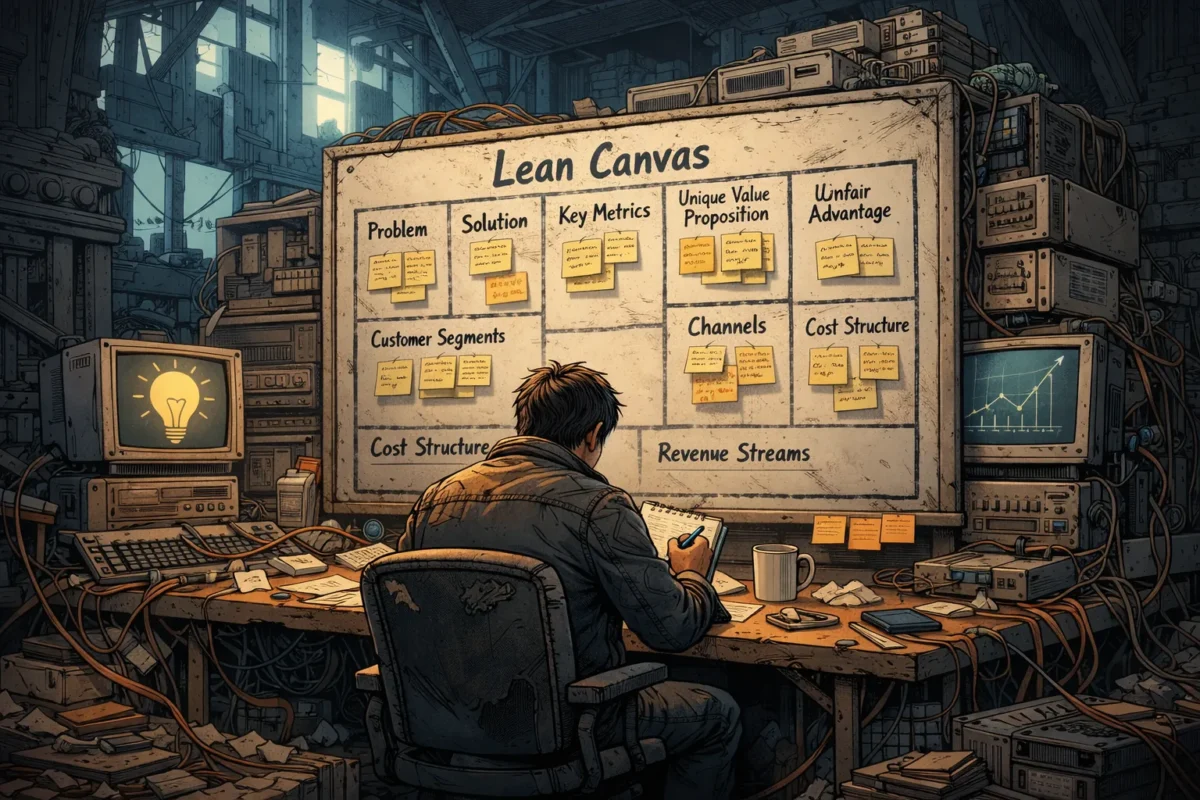
How to Fill Out a Lean Canvas Fast (with Real Examples)

A Worked Example with Iteration, Validation, and Hypothesis Generation

Starting a business is exciting but challenging, especially when you’re trying to solve a real problem for real customers. The Lean Canvas is a powerful tool designed to help entrepreneurs quickly sketch out their business model, identify key assumptions, and focus on what matters most. Unlike traditional business plans, the Lean Canvas is simple, visual, and built for rapid iteration.

In this article, we’ll explore how to fill each block of the Lean Canvas quickly and effectively, using a practical worked example. We will emphasise the importance of iteration, validation, and hypothesis generation at every step to ensure your startup is solving the right problem for the right customers. By the end, you’ll have clear guidance and actionable prompts to start using the Lean Canvas as a living document that evolves with your learning.


What Is the Lean Canvas?

The Lean Canvas, created by Ash Maurya, adapts the Business Model Canvas for startups focused on solving problems. It consists of nine blocks:

  1. Problem 
  2. Customer Segments 
  3. Unique Value Proposition (UVP) 
  4. Solution 
  5. Channels 
  6. Revenue Streams 
  7. Cost Structure 
  8. Key Metrics 
  9. Unfair Advantage 

Each block captures essential elements of your business model, making it easier to spot assumptions and risks early on.


Why Speed Matters When Filling the Lean Canvas

Startups operate in uncertainty. The faster you capture your current understanding, the sooner you can test it and learn. Quick filling does not mean rushing to the point of carelessness—it means:

  • Using what you already know 
  • Making smart guesses where necessary 
  • Documenting assumptions openly 
  • Focusing on clarity and simplicity 

With this approach, the Lean Canvas becomes a tool for experimentation and learning, not just documentation.


Step-by-Step Guide to Quickly Fill Each Block of the Lean Canvas with a Worked Example

Meet Our Startup: GreenThumb

GreenThumb aims to build an app that helps urban gardeners grow healthy plants despite limited space and environmental challenges. This example will help us fill the Lean Canvas step by step.


1. Problem

Goal: Identify 1 to 3 core problems your target customers face.

How to fill quickly:

  • Start with your own observations or experiences. 
  • Look at customer pains, frustrations, or unmet needs. 
  • Use direct quotes from early conversations if available. 

GreenThumb example:

  • Urban gardeners struggle to grow plants due to limited sunlight. 
  • Lack of tailored advice causes plants to die frequently. 
  • Difficulty finding appropriate tools and products for small spaces. 

Iteration & Validation Tip:
Use customer interviews or online forums to confirm these problems. Are these issues significant enough to solve? If you uncover new problems, update this block.


2. Customer Segments

Goal: Define clear groups of users or customers who experience these problems.

How to fill quickly:

  • Think broadly about who has these problems. 
  • Segment by demographic, behaviour, or situation. 
  • Consider early adopters who are more likely to try your solution.

GreenThumb example:

  • Apartment dwellers with balconies or windowsills for gardening. 
  • Beginner urban gardeners looking for easy success. 
  • Environmentally conscious millennials keen on sustainable living.

Hypothesis generation prompt:
“From the problems listed, generate three distinct customer segment hypotheses.” 
For GreenThumb: 

  1. Young professionals in cities with limited outdoor space. 
  2. Retirees taking up gardening as a hobby in urban flats. 
  3. Community garden coordinators seeking tools for group projects.

Iteration & Validation Tip:
Test these segments through targeted surveys or ad campaigns to see who responds best.


3. Unique Value Proposition (UVP)

Goal: Craft a single clear message that explains why your solution is better, different, or uniquely valuable.

How to fill quickly:

  • Combine your understanding of the problem and customers. 
  • Focus on results or benefits, not features. 
  • Keep it short and punchy — ideally one sentence.

GreenThumb example:
“The only app that delivers personalised plant care advice and tool recommendations tailored to your exact urban environment.”

Critique prompt:
“Critique this UVP. What assumptions does it make?” 

  • Assumes users want an app rather than a website or physical product. 
  • Assumes personalisation is a key value driver. 
  • Assumes users buy tools through the app.

Iteration & Validation Tip:
Test UVP messaging through landing page copy or social posts, and track engagement or sign-ups.


4. Solution

Goal: Outline your initial ideas for how to solve the problems identified.

How to fill quickly:

  • List one or two minimum viable solutions. 
  • Think in terms of features or services but focus on simplicity. 
  • Avoid overbuilding at this stage.

GreenThumb example:

  • Interactive app with light sensor integration to measure sunlight levels. 
  • AI-powered chat feature that provides daily customised plant care tips. 
  • Marketplace connecting users with small-space gardening tools and accessories.

Iteration & Validation Tip:
Build a prototype or clickable mockups and validate with user feedback.


5. Channels

Goal: Define how you will reach your customers.

How to fill quickly:

  • Consider where your customers spend time. 
  • Focus on the most direct or low-cost channels initially. 
  • Include potential partnerships or platforms.

GreenThumb example:

  • Social media gardening groups (Facebook, Instagram). 
  • Influencers in urban gardening and sustainability. 
  • App stores and gardening blogs.

Iteration & Validation Tip:
Run small-scale marketing tests to discover which channels generate leads or downloads most efficiently.


6. Revenue Streams

Goal: Identify how your startup will earn money.

How to fill quickly:

  • Think about primary revenue drivers: sales, subscriptions, ads, etc. 
  • Consider pricing models relevant to your market. 
  • Start with simple hypotheses.

GreenThumb example:

  • Freemium app model with premium subscription for advanced features. 
  • Commission on sales from the integrated marketplace. 
  • Sponsored content and partnerships with gardening brands.

Iteration & Validation Tip:
Test willingness to pay through pre-sales, crowdfunding, or paid pilot offers.


7. Cost Structure

Goal: List your major costs to operate the business.

How to fill quickly:

  • Include development, marketing, operational expenses, and fixed costs. 
  • Focus on high-impact cost drivers first.

GreenThumb example:

  • App development and maintenance. 
  • Content creation for personalised advice. 
  • Marketing and influencer partnerships.

Iteration & Validation Tip:
Refine cost estimates based on vendor quotes or MVP build-outs.


8. Key Metrics

Goal: Choose measurements that show whether your startup is progressing.

How to fill quickly:

  • Pick 2 to 3 metrics tied directly to customer behaviour or revenue. 
  • Prioritise leading indicators over vanity metrics.

GreenThumb example:

  • Daily active users engaging with plant care tips. 
  • Conversion rate from free to premium subscription. 
  • Average transaction value in the marketplace.

Iteration & Validation Tip:
Track these metrics early using analytics tools and adjust focus as you learn.


9. Unfair Advantage

Goal: Define what sets you apart and cannot be easily copied.

How to fill quickly:

  • Consider unique expertise, exclusive partnerships, or proprietary technology. 
  • Be honest if you don’t have one yet; leave room to build it.

GreenThumb example:

  • Exclusive access to environmental data from urban sensor networks. 
  • Patent-pending AI algorithms for personalised plant care. 
  • Strong relationships with local gardening communities.

Iteration & Validation Tip:
Keep this evolving as you develop deeper customer insights and competitive moats.


Using Iteration, Validation, and Hypothesis Generation to Improve Your Lean Canvas

Filling out your Lean Canvas is only the beginning. The real value comes from testing your assumptions and refining your model. Here are three practical ways to keep improving:

1. Critique Your Lean Canvas for Missing Assumptions

Regularly revisit your canvas and ask: 

  • What assumptions underlie each block? 
  • Are any critical risks overlooked? 
  • Could there be hidden customer segments or revenue streams?

Example prompt: “Critique this Lean Canvas for missing assumptions or blind spots.” 
For GreenThumb, you might realise you assumed users want personalised advice but did not validate if they trust AI-generated tips.

2. Generate New Hypotheses From Symptoms or Feedback

When customers share pain points or behaviours, use them to create new tested hypotheses. 
Prompt: “Generate three customer segment hypotheses from these symptoms.” 

Symptoms: Customers say they struggle to find eco-friendly gardening tools. 
Possible hypotheses: 

  • Eco-conscious buyers actively seek sustainable tools. 
  • Price sensitivity limits purchases of premium eco-products. 
  • Local gardeners prefer in-store shopping over apps.

3. Iterate Your Canvas Based on Data

Each experiment or customer conversation yields new information. Update your Lean Canvas accordingly: 

  • Tweak the problem and segments. 
  • Adjust your UVP to better match customer desires. 
  • Refine solutions to remove unnecessary features or focus on high-value ones.

Practical Actionable Exercise: Rapid Lean Canvas Fill and Validation

Try this exercise in your next startup meeting or brainstorming session:

  1. Set a timer for 10 minutes per block. Fill each section of your Lean Canvas rapidly, noting assumptions.
  2. Share your canvas with a colleague or mentor. Ask them to critique it and highlight missing assumptions.
  3. Generate three new hypotheses based on any customer feedback or symptoms you have gathered. Write these down separately.
  4. Choose one assumption to validate in the coming week. Plan a quick experiment, such as a survey, interview, or landing page test.
  5. Schedule a follow-up session to update your Lean Canvas based on what you learn.

This process keeps your Lean Canvas dynamic and rooted in real-world validation, reducing the risk of building a product no one wants.


Conclusion

The Lean Canvas is a versatile tool for startups aiming to solve real problems quickly and effectively. By working through each block rapidly and focusing on iteration, validation, and hypothesis generation, you ensure your business model remains flexible and grounded in customer realities.

Remember, the goal is not to produce a perfect plan on day one, but to create a foundation for continuous learning and improvement. Starting with your best assumptions, testing them thoroughly, and adapting your Lean Canvas as you go will increase your chances of building a product that truly meets your customers’ needs.

Now, roll up your sleeves and get started. Your next breakthrough could be just one Lean Canvas iteration away.

Categories
Feature Problem solving

Bootstrapping Problem Solving

Applying Frugality, Focus, and Revenue-First Principles to Build with Limited Resources

A Case Study and Practical AI-Driven Validation Methods

The allure of external funding from venture capitalists to angel investors is often seen as the ultimate lifeline for fledgling entrepreneurs. Yet, many successful businesses began their journey without a shiny cheque or a fancy pitch deck. Instead, they leaned on three core principles: frugalityfocus, and revenue-first. These principles form the backbone of bootstrapping problem solving, building meaningful solutions with limited resources.

This article explores how adopting these principles can empower startups and entrepreneurs to overcome resource constraints. We’ll illustrate this approach through a detailed case study, introduce practical AI-driven methods for validating ideas on a shoestring budget, and provide a resilience checklist for founders aiming to thrive under pressure.


Understanding Bootstrapping: The Power of Doing More with Less

Bootstrapping means building a company without relying on external funding. It calls for ingenious use of existing assets, careful prioritisation, and relentless customer focus. Unlike well-funded startups which may scale quickly but face high burn rates, bootstrapped companies grow steadily, making every pound count.

The philosophy revolves around:

  • Frugality: Spending money wisely and maximising existing resources.
  • Focus: Directing energy toward the highest-impact activities.
  • Revenue-First: Prioritising income generation over vanity metrics or feature bloat.

When combined, these principles solve the “bootstrapping problem” of how to build, validate, and grow a product or service when your wallet is tight.


Principle 1: Frugality – Stretching Every Pound

Frugality isn’t about being cheap, it’s about being resourceful. For bootstrapped founders, the key is to treat money like oxygen: vital, limited, and life-giving. Each expenditure should generate clear value or move the business closer to evidence of product-market fit.

Key Tactics in Frugal Bootstrapping

  • Use Free Tools and Open-Source Software
    Whether it’s website builders, customer relationship management (CRM) systems, or analytics tools, countless free or freemium solutions exist. Leveraging these early prevents overheads.
  • Barter and Skill Swaps
    If you lack a skill but need it, seek barter arrangements. For example, exchange marketing support for graphic design help.
  • DIY and Learn-on-the-Go
    Instead of outsourcing all tasks, founders often take on multiple roles: coding, sales, customer service. Learning basic skills can save thousands.
  • Lean Prototyping
    Build minimal viable products (MVPs) that demonstrate core value quickly without expensive development cycles.

Principle 2: Focus – Zeroing in on What Matters Most

Focus means ruthlessly prioritising efforts on activities that directly improve the business’ chances of survival and growth. Distractions or chasing shiny objects dilutes scarce resources.

How to Maintain Focus When Bootstrapping

  • Set Clear Goals Aligned with Revenue
    Instead of building extra features, aim to acquire paying customers first.
  • Customer Feedback Loops
    Engage early users, listen carefully, and iterate based on real needs rather than assumptions.
  • Avoid Feature Creep
    Features should be validated by customer demand, not founder enthusiasm.
  • Time-Box Tasks
    Allocate specific, limited times to projects to prevent endless tweaking.

Principle 3: Revenue-First – Cash Flow is King

Revenue-first means treating early income as your lifeblood, not an afterthought. This principle ensures the business remains viable and less dependent on external capital injections.

Implementing a Revenue-First Approach

  • Sell Early and Often
    Even if it means selling a simplified version of your product or a related service.
  • Validate Demand by Taking Orders Before Building
    Use pre-orders or deposits to test the market.
  • Understand Unit Economics
    Know the cost to acquire and serve each customer and ensure pricing covers costs plus margin.

Case Study: How “GreenGrub” Bootstrapped Their Sustainable Food Packaging Startup

To bring these bootstrapping principles into concrete terms, let’s explore a real-world example.

Background

“GreenGrub” is a UK-based startup founded by two entrepreneurs passionate about sustainability. They aimed to create biodegradable food packaging using plant-based materials. With no access to venture capital and an initial budget of just £2,000, they had to bootstrap every step.


Step 1: Applying Frugality

  • The founders used free design tools like Canva for logos and branding.
  • They leveraged open-source CAD software to create packaging prototypes.
  • Instead of hiring a PR firm, they wrote and distributed press releases themselves.
  • For raw materials, they negotiated barter deals with local farmers who supplied agricultural waste in exchange for future profits.

Step 2: Maintaining Focus

  • They focused solely on the UK fast-food takeaway market—a segment hungry for sustainable packaging.
  • The team identified critical validation milestones: secure 3 paying customers within 3 months and achieve cost parity with plastic alternatives.
  • They avoided expanding into other markets until these milestones were met.

Step 3: Prioritising Revenue-First

  • Rather than waiting to perfect their product, they offered a pilot programme with local cafés at a discounted rate in exchange for feedback and testimonials.
  • They created an online store using a low-cost Shopify plan to accept orders immediately.
  • Customer deposits helped fund the next batch of production, ensuring positive cash flow.

Outcome

Within six months, GreenGrub expanded from two customers to over 20 regular clients. They reinvested profits into scaling manufacturing and refining products. This bootstrapped approach helped them retain full control and forge authentic customer relationships.


Using AI to Boost Bootstrapped Validation Efforts

Artificial Intelligence (AI) tools can accelerate validation and resource optimisation without heavy costs. Here are practical prompts and approaches any founder can use.


AI Prompt 1: “Suggest 3 scrappy validation methods for this idea with under £500 budget”

Say you have a new service or product idea. Feeding this prompt into an AI (such as ChatGPT or similar platforms) can yield low-cost, creative validation strategies. Examples might include:

  1. Landing Page with Email Capture
    Build a simple page explaining your concept to gauge interest. Use free or inexpensive tools like Carrd or Mailchimp to collect emails.
  2. Social Media Advertisement Test
    Run targeted ads on Facebook or Instagram with a £100 cap to evaluate demand and traffic.
  3. Virtual Focus Groups
    Organise small online sessions with potential users via Zoom or Google Meet, incentivised by £10 vouchers.

These methods enable rapid user feedback and demand signals before investing heavily.


AI Prompt 2: “Identify free or barter-based alternatives for this resource gap.”

If you’re missing a key resource like design, manufacturing, marketing, then this prompt helps find creative substitutes:

  • Connect with university students or interns eager for project experience.
  • Use community forums like Reddit or LinkedIn groups for collaboration.
  • Explore local maker spaces or co-working hubs offering shared equipment.
  • Seek trade partnerships with complementary startups.

This AI-generated insight encourages founders to tap into broader ecosystems creatively.


Practical Action Plan: Launching Your Bootstrap Validation

To put these ideas into practice, here’s a step-by-step guide founders can follow on a tight budget.

StepDescriptionEstimated CostTools/Resources Suggested
1. Define MVPIdentify minimum feature set to solve core problem£0Paper sketches, mind maps
2. Create Landing PageSimple one-page site for capturing interest£0-£50Carrd (free tier), Mailchimp (free tier)
3. Drive TrafficRun small budget ads targeting niche audience£100-£200Facebook Ads, Instagram Ads
4. Collect FeedbackConduct virtual interviews or surveys£0-£50Google Forms, Zoom, Calendly
5. Build PartnershipsBarter services or seek internships£0Local universities, LinkedIn, forums

By systematically following this plan with a clear focus on revenue, bootstrapping becomes manageable and rewarding.


Resilience Checklist for Bootstrapped Founders

Bootstrapping is not just a financial challenge; it’s a mental and emotional journey. Here’s a curated list of attributes and practices that help founders stay resilient:

  • Embrace Uncertainty: Accept ambiguity as a natural part of early-stage ventures.
  • Prioritise Mental Health: Schedule regular breaks and seek peer support.
  • Stay Customer-Centric: Keep listening and adapting based on user needs.
  • Celebrate Small Wins: Recognise progress to maintain motivation.
  • Maintain Financial Discipline: Track expenses meticulously and forecast cash flow monthly.
  • Build a Network: Engage mentors, advisors, and fellow entrepreneurs.
  • Learn Continuously: Dedicate time for upskilling in relevant areas.
  • Plan for Contingencies: Prepare backup plans for critical risks.
  • Cultivate Patience and Persistence: Growth may be slow but can be sustainable.
  • Reflect Regularly: Conduct weekly reviews to align actions with goals.

Conclusion: Harnessing Bootstrapping Principles for Long-Term Success

Bootstrapping problem solving anchored in frugality, focus, and a revenue-first mindset is more than a survival tactic; it’s a powerful framework for discipline and innovation. As demonstrated by the GreenGrub case study, it’s possible to launch and grow meaningful ventures without external funding when resources are scarce.

Leveraging modern AI tools to validate ideas and identify resourceful alternatives adds a new dimension, making bootstrapping smarter and faster in the digital age.

If you’re an entrepreneur embarking on this path, remember: your constraints are not weaknesses but catalysts for creativity and resilience. Use the practical methods and checklists shared here to propel your journey with confidence and clarity.


Bonus Resource: AI-Powered Prompt Templates for Founders

To get you started with AI-driven bootstrapping, here are repeatable prompt templates to try:

  • “Suggest 3 scrappy validation methods for [describe your business idea] with under £500 budget.”
  • “Identify free or barter-based alternatives to acquire [name missing resource, e.g., graphic design, manufacturing].”
  • “Create a customer interview script to validate the problem hypothesis for [product/service].”
  • “Recommend cost-effective marketing channels for reaching [target audience].”

Feel free to modify these prompts according to your sector and circumstances, and watch AI become your hidden co-founder.

Categories
Feature Problem solving

Mastering Problem Solving with AI

Identifying Symptoms, Root Causes, and Crafting Effective Prompts for Context-Driven Solutions

How to Solve Problems with AI: A Step-by-Step Guide

Artificial Intelligence (AI) has become a powerful tool in tackling complex problems across various fields. However, effectively solving problems with AI requires more than just feeding data into a model – it demands a structured approach that isolates the issue, understands its layers, and uses precise prompts to guide the AI toward meaningful solutions. In this article, we’ll break down how to solve problems with AI by focusing on five key stages: symptom, cause, workaround, root cause, and solution. We’ll also explore how crafting detailed prompts and providing proper context are essential to unleashing AI’s full potential.

1. Isolate and Focus on the Symptom

The first step in problem-solving is identifying the symptom – the visible manifestation of the problem. Symptoms are the surface-level issues you notice but may not fully understand yet.

Example: Users report slow response times in a web application.

When interacting with AI, your prompt should clearly describe the symptom:

“Users are experiencing slow response times when accessing the dashboard. What could be contributing factors?”

Providing this focused symptom allows the AI to zero in on the immediate problem without getting distracted by unrelated data.

2. Identify Possible Causes

Once the symptom is defined, the next step is to explore potential causes. This involves diagnosing why the symptom is occurring.

Prompting AI effectively here involves asking it to analyze the situation with the symptom as the context:

“Given that users face delays opening the dashboard, what are some common causes of slow web app performance?”

At this stage, AI can generate hypotheses such as server overload, inefficient database queries, or network latency.

3. Consider Workarounds

Sometimes, immediate fixes or workarounds are needed to alleviate the symptom while investigating deeper causes. Workarounds don’t solve the root problem but provide temporary relief.

A helpful prompt might be:

“What are some quick workarounds to improve dashboard loading times while we investigate the underlying issues?”

AI might suggest caching strategies, limiting simultaneous user sessions, or using a content delivery network.

4. Uncover the Root Cause

To truly solve the problem, it’s vital to dig deeper and uncover the root cause – the fundamental reason the symptom exists.

To prompt the AI for root cause analysis, frame your request with context from earlier findings:

“Considering that slow response times may be due to inefficient database queries, how can we analyze and identify the exact queries causing bottlenecks?”

Providing the AI with prior insights helps it focus its analysis and recommend targeted diagnostic steps or tools.

5. Develop a Lasting Solution

Finally, develop a comprehensive solution that addresses the root cause and prevents recurrence.

An example prompt at this stage:

“Based on the root cause of slow dashboard responses being inefficient database queries, what best practices and optimizations can we implement to fix this issue permanently?”

AI can then suggest query optimization techniques, indexing strategies, code refactoring, or infrastructure improvements.


Why Context and Prompting Matter

Throughout these stages, the quality of AI’s output hinges on how well you craft your prompts and supply context. Here are some best practices:

  • Be Specific: Clear, detailed descriptions help AI understand the problem scope and avoid vague answers.
  • Provide Background: Include relevant details – such as system architecture, user behaviour, or previous findings – to guide AI reasoning.
  • Iterate Prompts: Use follow-up questions to refine insights and progressively move from symptom to solution.
  • Segment Complex Problems: Break down large problems into smaller parts and tackle each systematically with tailored prompts.

Final Thoughts

Solving problems with AI is most effective when you adopt a systematic approach: isolate the symptom, explore causes, try workarounds, identify the root cause, and implement a lasting solution. At every step, the way you communicate with AI – through focused, context-rich prompts – determines the quality of insights and recommendations you receive. By mastering this interaction, you unlock AI’s capability as a powerful problem-solving partner.

Start practicing these steps today, and watch how AI transforms your problem-solving process from guesswork to precision.